

The 14-Day Attribution Black Hole: Why Jewelry Brands Go Blind on Meta#
Almost every month inside our growth consultancy at CyberSolu, we audit a Shopify jewelry brand whose founder is about to shut down their Meta ad account in frustration.
They show us their Ads Manager dashboard: $4,200 spent on cold prospecting over the past three weeks, reporting just 4 purchases and a depressing 0.38x ROAS.
Yet when we cross-reference their Shopify backend and bank accounts, their revenue is up $14,000 month-over-month. Their best-selling $350 signet ring is selling out, and their customer service inbox is flooded with sizing questions.
Where did the disconnect happen?
In fine and demi-fine jewelry ecommerce ($150 to $600+ average order values), customers do not buy in a 5-minute impulse session.
A shopper taps your Instagram Reel ad on an iPhone during their morning commute. They browse your product page, check your hallmark specifications, and leave. Over the next 10 to 18 days, they discuss the piece with a partner, compare metal durability, measure their ring size at home, receive two Klaviyo nurture emails, and finally complete their purchase on a Sunday evening from their desktop Safari browser.
Here is why your Meta Ads Manager reports zero conversions for that sale:
Apple’s Safari Intelligent Tracking Prevention (ITP 2.3+) purges all client-side JavaScript cookies after 1 to 7 days of inactivity.
If your Shopify store relies solely on the standard browser Meta Pixel (fbevents.js), that tracking cookie was deleted on Day 7. When the customer buys on Day 14, Meta’s browser pixel fires into a complete void. It cannot link the purchase back to the click ID (fbclid).
To Meta’s machine learning algorithm, your ad campaign generated zero revenue.
Consequently, the algorithm:
- 01Penalizes your ad sets for poor performance.
- 02Increases your CPMs by 40% as a low-relevance advertiser.
- 03Automatically throttles delivery to high-intent luxury buyers and routes your budget to cheap scrollers who never buy.
This is the Attribution Black Hole. And for high-AOV jewelry brands, setting up a rock-solid Conversions API (CAPI) pipeline is not an optional technical luxury—it is the difference between scaling profitably and going broke.
Browser Pixel vs. Conversions API: How Dual-Stream Tracking Works#
To eliminate the attribution black hole, Meta engineered a dual-stream architecture: the traditional client-side Meta Pixel working in tandem with the server-side Conversions API (CAPI).
Dual-Stream Tracking Flow:
┌────────────────────────────────────────────────────────┐
│                   Customer Action                      │
│            (e.g., Purchase of $350 Ring)               │
└───────────────────────────┬────────────────────────────┘
                            │
            ┌───────────────┴───────────────┐
            │                               │
            ▼                               ▼
┌────────────────────────┐      ┌────────────────────────┐
│  Stream 1: Browser     │      │  Stream 2: Server CAPI │
│  Client-Side Pixel     │      │  Shopify Backend Hook  │
│  - Instant signal      │      │  - Immune to ITP/Safari│
│  - Vulnerable to ITP   │      │  - Immune to ad-block  │
│  - Event ID: #10429    │      │  - Event ID: #10429    │
└───────────┬────────────┘      └───────────┬────────────┘
            │                               │
            └───────────────┬───────────────┘
                            ▼
┌────────────────────────────────────────────────────────┐
│             Meta Graph API / Events Manager            │
│         Deduplication Engine (Matching Event ID)       │
│         - Discards duplicate event signal              │
│         - Enriches purchase with verified email & IP   │
│         - Result: 1 Verified Attributed Sale (8.8 EMQ) │
└────────────────────────────────────────────────────────┘
Here is how the two streams complement each other:
- 01The Browser Pixel (Client-Side): Fires instantly inside the customer’s browser when a button is clicked or a page loads. It captures rich client context like screen resolution, viewport position, and microsecond timing. However, it is easily blocked by browser extensions, iOS privacy settings, and Safari cookie lifespans.
- 02The Conversions API (Server-Side): Sends conversion data directly from Shopify’s backend servers (via webhooks or secure server endpoints) straight to Meta’s Graph API. It does not run in the user's browser, meaning it cannot be blocked by ad blockers, iOS private browsing modes, or Safari ITP cookie expirations.

The Core Deduplication Mechanism (event_id Matching)
If both the browser pixel and the server send a "Purchase" event for the same customer order, why doesn't Meta record two sales and double your reported revenue?
The answer is Event Deduplication.
Whenever an action occurs, your tracking setup must assign a unique, identical string called an event_id to both payloads:
- Browser Pixel Payload:
event_name: "Purchase", event_id: "order_6849201" - Server CAPI Payload:
event_name: "Purchase", event_id: "order_6849201"
When Meta receives both signals, its deduplication algorithm checks the event_id and event_name. It keeps the first incoming signal to provide immediate dashboard reporting, and merges the server payload to backfill verified customer data (hashed email, phone number, and physical billing address).
If your store fails to send matching event_id keys, Meta treats them as two completely separate conversions.
The 5 Costly Tracking Mistakes Destroying Jewelry Store ROAS#
In our audits of emerging and established Shopify jewelry stores, over 80% suffer from at least two of the following technical tracking flaws.
Mistake 1: The Double-Tracking Disaster (Un-Deduplicated Purchases)
This is the most common catastrophe we see in high-growth jewelry accounts.
A brand founder installs the official Shopify Facebook & Instagram Sales Channel app and selects the recommended "Maximum" data-sharing setting (which automatically activates native CAPI).
However, six months prior, their web developer had pasted manual Meta Pixel tracking code into theme.liquid. Or the store installed a third-party pixel app (like Trackify or a TikTok/Meta multi-pixel app) that was never removed.
What Happens:
- The native Shopify app fires a browser purchase and a server purchase with a unified
event_id. - The manual theme script fires a second un-deduplicated browser purchase with no matching server ID.
- Meta logs 200 orders for every 100 actual sales.
Your Ads Manager dashboard shows a glorious 5.2x ROAS. You scale your ad spend from $100/day to $500/day. Two weeks later, you check your bank balance and realize you are bleeding cash because Meta was optimizing for phantom duplicate conversions that never existed.
Mistake 2: Hashing Data Before Normalization (The SHA-256 Formatting Trap)
Meta’s Conversions API uses cryptographic SHA-256 hashing to protect customer privacy while matching user profiles. However, SHA-256 is an exact mathematical function: even a single capitalization or space difference produces an entirely different hash.
Look at what happens if you hash an email without strict normalization:
| Raw Input from Shopify | Sanitized Standard | SHA-256 Hash Generated | Meta Match Result |
|---|---|---|---|
Sarah.Smith@Gmail.Com | Un-sanitized (Raw) | e4f9b8...c721 | FAILED (0% Match) |
sarah.smith@gmail.com | Correctly Normalized | a184e9...b049 | MATCHED (100% Match) |
If your custom tracking script or middleware hashes user data before lowercasing and trimming, Meta throws out 100% of your customer match parameters.
The strict normalization rules:
- Email (`em`): Strip leading/trailing whitespaces, convert all characters to lowercase.
- Phone (`ph`): Strip all dashes, spaces, and parentheses. Crucially, remove national prefix zeroes while keeping the country code. For example, a UK phone entered as
+44 (0)7700 900123must be normalized to447700900123. If you send the leading zero, Meta fails the match. - Names & Cities (`fn`, `ln`, `ct`): Lowercase, strip punctuation and accents.
Mistake 3: Dropping fbc and fbp on Shopify Checkout Extensibility
When Shopify deprecated checkout.liquid and migrated stores to Checkout Extensibility, checkout pages were moved into isolated, sandboxed Web Pixels environments.
Many legacy server-side setups (custom Google Tag Manager setups or outdated apps) capture the _fbc cookie (which stores the Meta click ID fbclid) on the homepage, but fail to carry that cookie into the sandboxed checkout.
When the customer completes their purchase, the server webhook sends customer parameters like email and address, but sends fbc: null.
Without the fbc parameter, Meta cannot connect the purchase back to the specific ad campaign and ad creative that generated the initial click. Your Event Match Quality score drops, and your ad-level attribution collapses into "Unassigned".
Mistake 4: Ring Size & Metal Variant ID Mismatches in Dynamic Product Ads
In apparel or electronics, products usually have simple SKUs. But in jewelry, a single ring design often contains 24 distinct variants:
- 8 finger sizes (Size 5 through Size 12)
- 3 metal finishes (14K Solid Yellow Gold, 14K White Gold, 14K Rose Gold)
When a customer views your product page, Shopify's URL updates to:
https://yourbrand.com/products/eternity-band?variant=482910492819
If your Meta Pixel fires content_ids: ["eternity-band-parent"] (the parent product handle) while your Meta Commerce Manager catalog is synced with individual Shopify variant IDs (["482910492819"]), the catalog match fails.
Meta cannot match the product the user looked at to the product in your catalog. As a result:
- Dynamic Product Ads (DPA) retargeting shows random items instead of the exact ring the shopper examined.
- Advantage+ Catalog campaigns cannot optimize budget toward your most profitable metal variants.
Mistake 5: Using Timestamps in Milliseconds (Date.now())
JavaScript’s native Date.now() outputs Unix time in milliseconds (a 13-digit integer, e.g., 1730000000000).
However, Meta’s Conversions API specification explicitly requires Unix timestamps in seconds (a 10-digit integer, e.g., 1730000000).
If a developer building a custom server endpoint passes Date.now() directly as the event_time parameter without dividing by 1,000 (Math.floor(Date.now() / 1000)), Meta flags the event as occurring thousands of years in the future and rejects the entire server payload.
The Blueprint to an 8.6+ Event Match Quality (EMQ) Score#
In Meta Events Manager, every configured event is assigned an Event Match Quality (EMQ) score from 0.0 to 10.0.
This score measures how effectively the customer information parameters sent with your server event allow Meta to match the customer to an active Facebook or Instagram account.
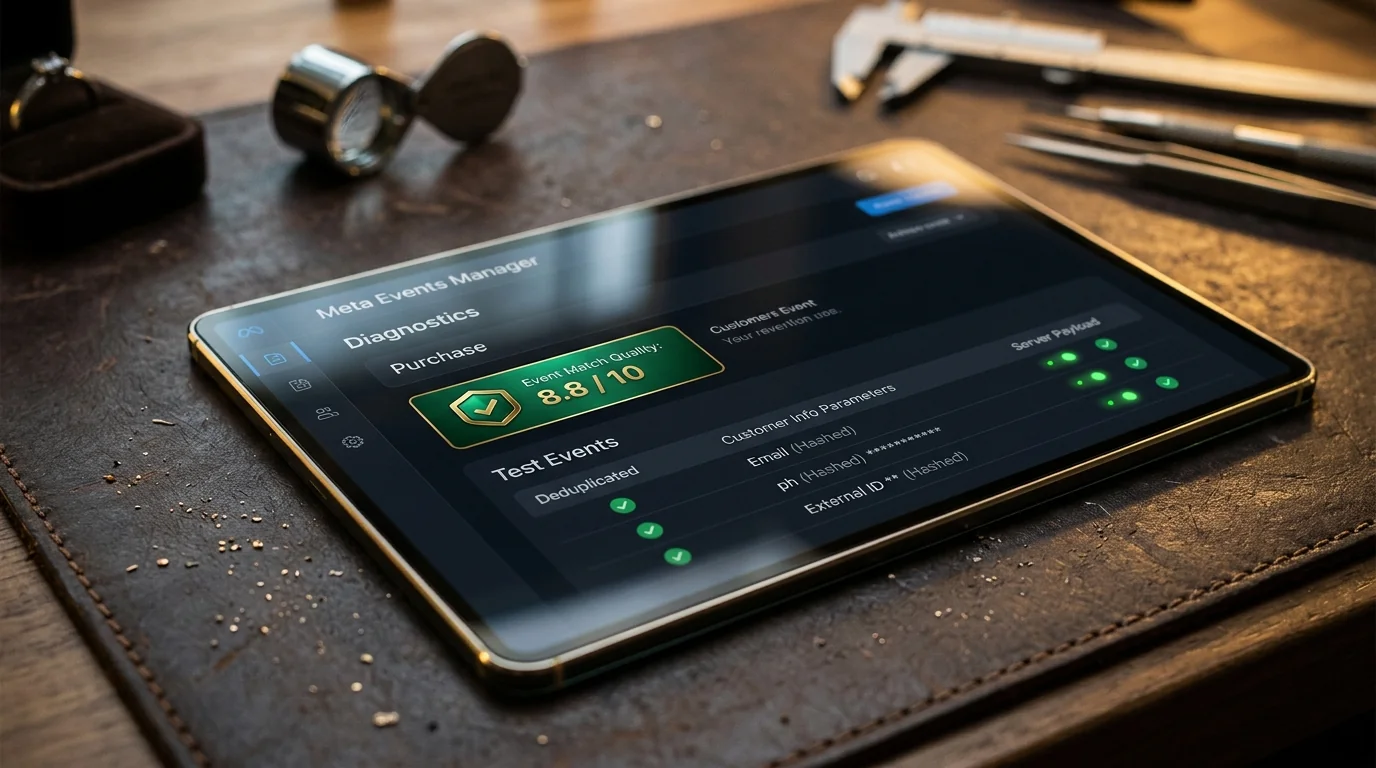
Most unoptimized Shopify jewelry stores sit at an EMQ score between 3.8 and 5.2.
When we optimize our jewelry brand partners at CyberSolu, our benchmark for the Purchase event is 8.6 to 9.2 out of 10.
How EMQ Behaves Across the Funnel
Founders often panic when they see their ViewContent or AddToCart events sitting at a 5.0 EMQ score.
It is vital to understand that match quality naturally varies across your funnel:
| Funnel Event | Natural EMQ Benchmark | Customer Data Available at Event | Key Parameters Required |
|---|---|---|---|
| PageView | 4.0 - 5.5 / 10 | Anonymous visitor | client_ip_address, client_user_agent, fbp |
| ViewContent | 4.5 - 6.0 / 10 | Anonymous / Returning | client_ip_address, client_user_agent, fbp, fbc |
| AddToCart | 5.5 - 7.0 / 10 | Anonymous or Klaviyo cookie | client_ip_address, fbp, fbc, em (if identified) |
| InitiateCheckout | 7.5 - 8.5 / 10 | Contact step reached | em, ph, fbp, fbc, fn, ln, external_id |
| Purchase | 8.6 - 9.4 / 10 | 100% Verified customer data | em, ph, fn, ln, ct, st, zp, country, external_id, fbc, fbp |
On a Purchase event, the customer has submitted their full billing address, phone number, and email. There is zero technical excuse for a jewelry store’s Purchase EMQ score to sit below 8.0.
Step-by-Step Setup Guide: Auditing Your Store in Meta Events Manager#
Here is the exact auditing procedure we run when onboarding a new jewelry client at CyberSolu:
1. Activating Maximum Data Sharing in Shopify
If you are using Shopify’s native sales channel:
- 01Navigate to Shopify Admin ➔ Settings ➔ Apps and sales channels ➔ Facebook & Instagram.
- 02Open Settings ➔ Data sharing settings.
- 03Ensure the toggle is set to Maximum.
- Standard: Uses only the client-side browser pixel.
- Enhanced: Adds limited browser matching.
- Maximum: Activates server-side Conversions API via Shopify's direct cloud pipeline with automatic deduplication.
2. Live Validation via Meta Events Manager Test Events
Never assume tracking is working because a settings toggle is switched on. Always verify using live payloads:
- 01Open Meta Events Manager ➔ Data Sources ➔ Select your Pixel/Dataset.
- 02Click the Test Events tab.
- 03In the "Test Server Events" section, copy your unique Test Event Code (e.g.,
TEST48192). - 04If testing via middleware or specialized tracking tools (like Elevar or Stape), enter the test code.
- 05Place a live test order on your Shopify store using a real credit card or test gateway.
- 06Observe the incoming feed in Events Manager:
- You should see two entries appear simultaneously for the purchase: one with a Browser icon and one with a Server icon.
- Within 15 seconds, Meta should display a green "Deduplicated" badge next to the server event.
- Click into the event details to verify that
em(hashed email),ph(hashed phone),fbp, andfbcdisplay green checkmarks.
3. Monitoring Events Diagnostics & Schema Validation
Under Meta Events Manager ➔ Diagnostics, check for active warnings:
- Red Alert: "Duplicate Events Received Without Event ID": You have multiple conflicting tracking scripts in your theme or apps. Audit
theme.liquidand your Shopify Customer Privacy / Web Pixels section immediately. - Yellow Alert: "Unformatted User Data": Your setup is sending un-normalized emails or phone numbers. Ensure all phone strings strip national zeroes and maintain proper international dialing codes.
The Bottom Line for Jewelry Founders#
In high-AOV jewelry ecommerce, data fidelity is an unfair competitive advantage.
When your competitors rely on broken browser pixels, their attribution collapses after 7 days, their Ads Manager shows inaccurate low ROAS numbers, and their media buyers panic and pull back spend.
When your Conversions API and Meta Pixel pipeline are flawlessly configured with an 8.8+ Event Match Quality score, your ad account captures every single delayed purchase across the full 18-day consideration cycle.
Meta’s machine learning algorithm is fed rich, deterministic conversion data every single day, enabling it to hunt down high-net-worth jewelry buyers with surgical precision.